Author: Evidence

  • Here’s Why You’re Wearing Your AirPods Max Wrong (And How to Fix It)

    Here’s Why You’re Wearing Your AirPods Max Wrong (And How to Fix It)

    If you own a pair of Apple’s AirPods Max, you’re already accustomed to premium sound, top-notch design, and an immersive listening experience. But even the best tech can be a little confusing sometimes. With the AirPods Max’s sleek, minimalistic design, it’s all too easy to put them on backward or miss out on some of their most unique features.
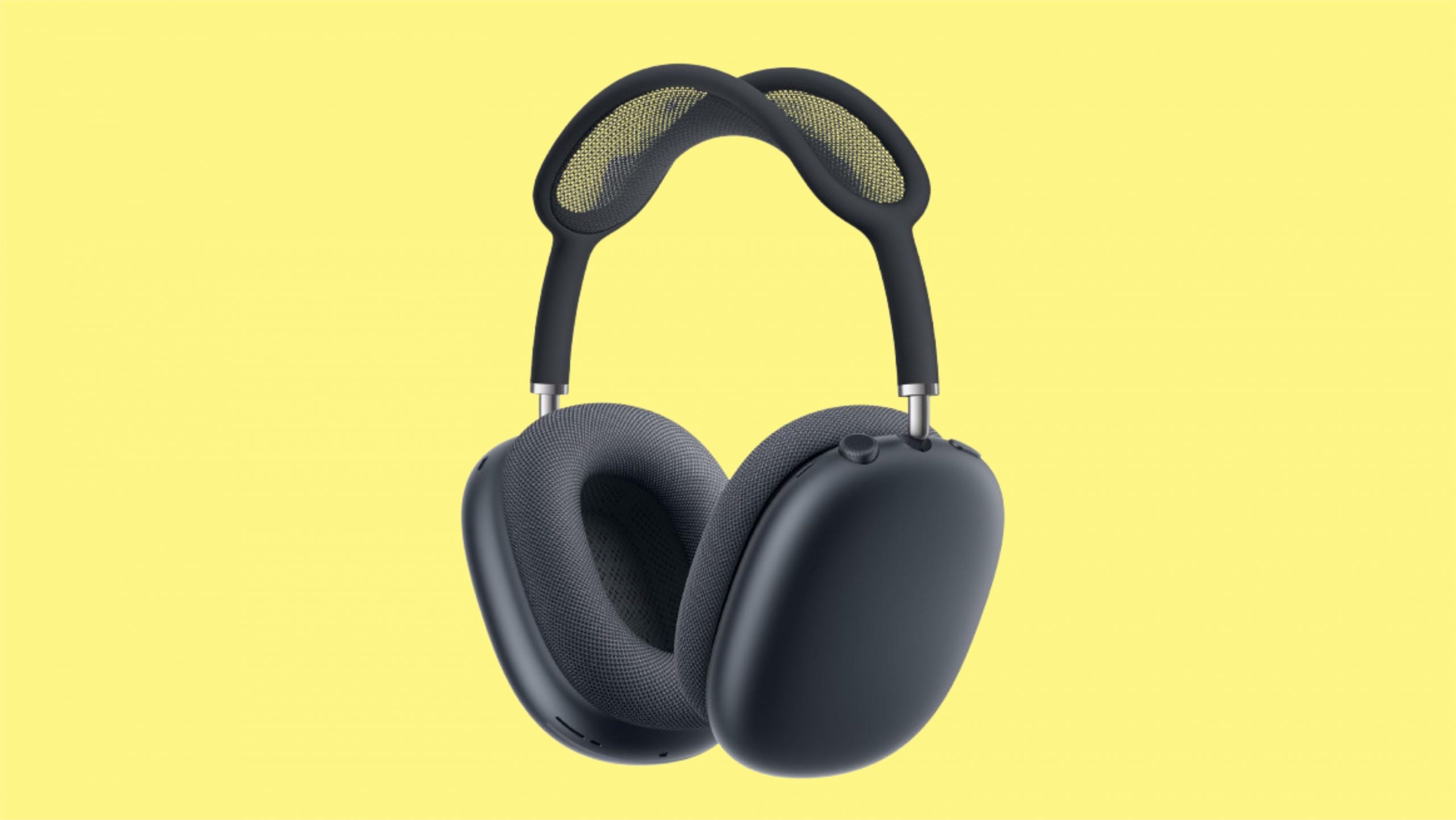
    Here's Why You're Wearing Your AirPods Max Wrong (And How to Fix It)

    So, if you’re not getting the sound experience you expected, or they just don’t feel quite right, you might be wearing them wrong. Don’t worry—here’s how to make sure you’re maximizing comfort and audio quality with every wear.


    1. Identify Left and Right with the Hidden L and R Labels

    Apple’s AirPods Max takes “sleek” to a new level—so much so that the left and right indicators aren’t immediately visible. Inside each earcup, hidden within the fabric mesh, are subtle “L” and “R” labels to help you distinguish each side. However, they’re small and easy to overlook at a glance. Here’s how to find them every time:

    • Hold the AirPods Max by the headband and check the inside of each earcup.
    • Spot the “L” on one side and “R” on the other, ensuring you’re wearing them as intended.

    Why does this matter? Apple’s Spatial Audio and active noise-canceling technology rely on these orientations to deliver accurate sound and an immersive experience.

    2. Use the Digital Crown as Your Quick Guide

    Here’s an easy trick: on the AirPods Max, the Digital Crown is always on the right side. This handy control, which allows you to adjust volume, skip tracks, and activate Siri, is unique to the right earcup. Once you get familiar with the Digital Crown’s position, you can easily put the headphones on without looking for the L and R markers.

    Tip: Try using the Digital Crown to test for orientation each time. If it’s on your left ear, you’re wearing them wrong!

    3. Pay Attention to the Headband Orientation

    The headband on the AirPods Max is designed to contour to the natural shape of your head, so if they feel like they’re sitting awkwardly, you might have the left and right reversed. The headband should rest comfortably and evenly across the top of your head without needing much adjustment. When worn correctly, the mesh canopy should feel balanced and supportive, taking pressure off your head for long listening sessions.

    Here’s how to tell if you’ve got the headband right:

    • Adjust for Fit: If the headband feels slightly off-balance or not as secure, double-check your left and right ear orientation.
    • Headband Comfort: A properly aligned headband should feel snug but lightweight—almost like a gentle cradle for your head.

    4. Get Familiar with the Button Layout

    Buttons are more than just convenient; they’re also key orientation cues. Both the Noise Control button and the Digital Crown are on the right side, so if you feel for these buttons with your right hand and can’t find them, it’s a clear sign you’ve got the headphones on backward.

    Here’s how to remember it:

    • Digital Crown and Noise Control: These are always on the right earcup. If you reach up and can’t feel the controls on the right side, take a second look at the L and R labels before reorienting.

    5. Leverage the Charging Port’s Location

    The charging port’s placement can also be a dead giveaway. Apple located the Lightning charging port on the right earcup, so if you’re charging your AirPods Max or just took them off the charger, the port location can help you identify the correct orientation.

    Trick: Check the bottom of each earcup. The side with the charging port is the right earcup, so you’ll know to place that side over your right ear.

    6. Why Proper Orientation Matters for Sound Quality

    Getting the orientation right on your AirPods Max isn’t just about comfort—it’s also crucial for an optimal audio experience. Apple’s Spatial Audio feature delivers surround sound, making it feel as though you’re surrounded by the audio, whether it’s an intense movie soundtrack or complex orchestral piece. Wearing them the wrong way compromises this effect, resulting in a less immersive experience.

    What You’re Missing:

    • Spatial Audio: When worn correctly, you’ll hear directional audio, especially noticeable in movies or games that support it.
    • Active Noise Cancelation: Proper ear alignment enhances the noise-canceling effect by sealing sound and isolating you from outside noise.

    7. Take Advantage of the Smart Case for Proper Storage

    Apple’s Smart Case isn’t just a protective accessory; it’s also designed to guide you on which way to wear your AirPods Max. Each side of the case is tailored to hold the left and right earcups in the correct orientation. Storing your headphones in the Smart Case regularly will help you develop a habit of aligning them properly every time you wear them.

    Here’s how the Smart Case helps:

    • Symmetrical Design: The left and right cups only fit one way, ensuring correct orientation when you remove them.
    • Added Protection: The case provides soft, durable protection, shielding your headphones from potential wear and tear when they’re not in use.

    8. Quick Comfort Check

    Even with these tips, sometimes the fastest way to check if you’re wearing the AirPods Max correctly is to perform a comfort check. When worn properly, the headphones should feel balanced, with no pressure points or misaligned earcups. If you experience any discomfort or awkward fit, especially around the headband or earcups, it’s worth checking the L and R labels or button placement.

    Bonus Tip: Once you’re used to the layout, aligning them will become second nature, and you’ll enjoy all the high-fidelity sound they’re designed to deliver.

    Final Thoughts: Getting the Most from Your AirPods Max

    Knowing how to wear your AirPods Max correctly might sound simple, but it’s an easy detail to overlook, especially given their sleek design. Following these tips will ensure you’re always getting the best sound quality, noise-canceling performance, and immersive experience that Apple intended. With a few quick checks, you’ll be able to put them on confidently and enjoy the full, intended experience every time you listen.

    Also Check:

  • I Tested the AirPods Max with other Top Alternatives, Here’s How They Stack Up Against Other Premium Headphones

    I Tested the AirPods Max with other Top Alternatives, Here’s How They Stack Up Against Other Premium Headphones

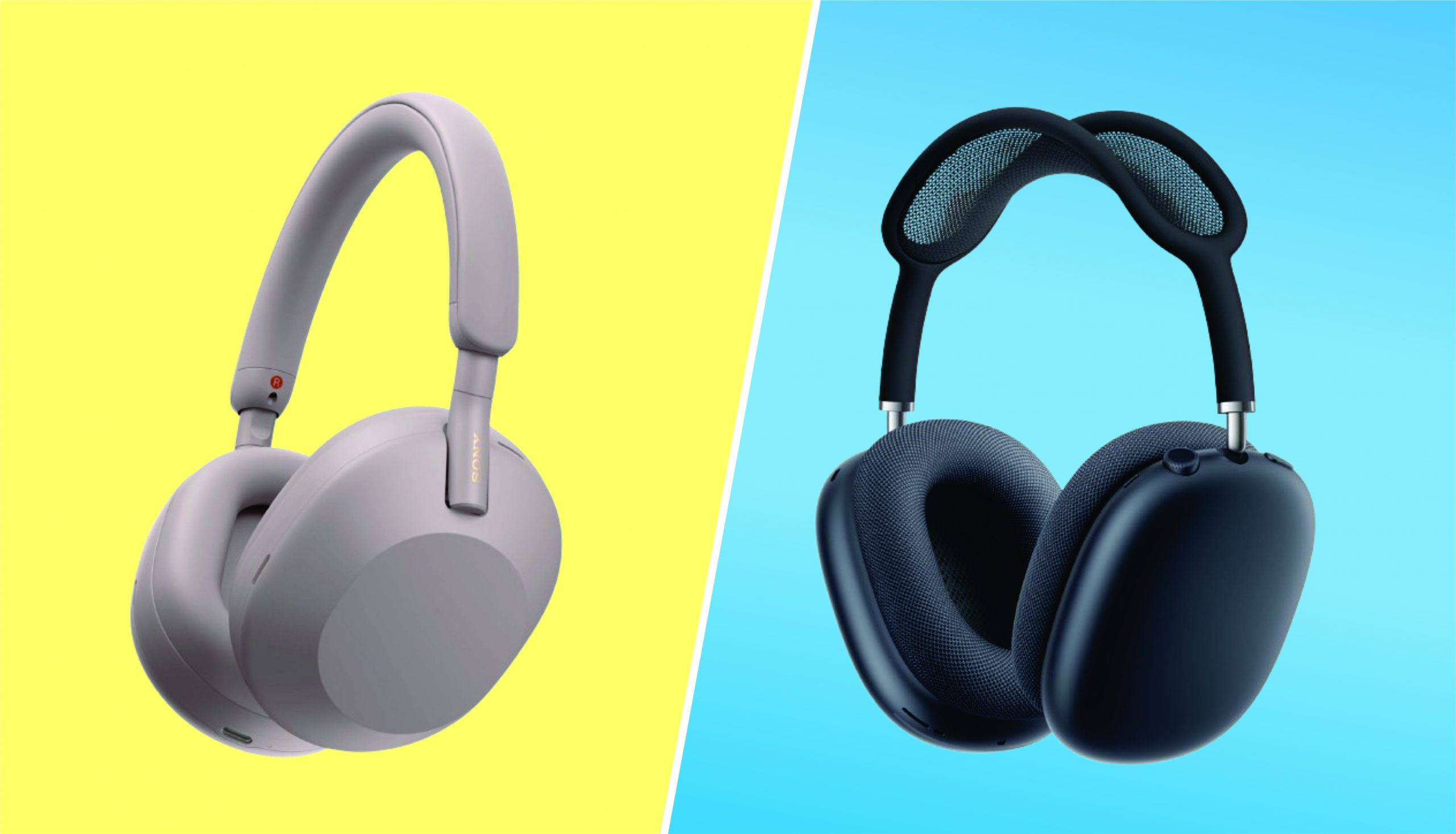
    The AirPods Max has quickly become one of the most popular premium headphones on the market, thanks to its sleek design, advanced features, and Apple’s reputation for quality. However, with so many other high-end options available, it’s essential to explore alternatives to see if the AirPods Max truly holds its ground. In this post, we’ll compare the AirPods Max with other top contenders like the Sony WH-1000XM4 and Bose 700 to help you make an informed decision.


    I Tested the AirPods Max with other Top Alternatives, Here’s How They Stack Up Against Other Premium Headphones

    Design and Build Quality

    The AirPods Max is known for its luxurious design, featuring stainless steel frames, memory foam ear cushions, and a breathable knit mesh canopy. When compared to the Sony WH-1000XM4 and Bose 700, the AirPods Max stands out for its premium materials and unique aesthetic. However, while the AirPods Max is undeniably stylish, it is also heavier than its competitors, which might impact comfort during extended use. The Sony and Bose models, on the other hand, offer a more lightweight and flexible design, prioritizing portability and all-day comfort.

    Sound Quality

    AirPods Max delivers a well-balanced sound profile with deep bass, clear mids, and crisp highs, thanks to Apple’s custom drivers and computational audio. When pitted against the Sony WH-1000XM4, which is revered for its bass-heavy sound, and the Bose 700, known for its precise audio reproduction, the AirPods Max holds its own. However, audio preferences are subjective; some might prefer the richer bass of the Sony or the neutral clarity of the Bose over the AirPods Max’s balanced output.

    Noise Cancellation Features

    The Active Noise Cancellation (ANC) in the AirPods Max is top-notch, effectively blocking out ambient noise with the help of eight microphones and advanced algorithms. When compared to the Sony WH-1000XM4, which is often praised as the gold standard for ANC, and the Bose 700, which offers excellent noise cancellation, the AirPods Max performs exceptionally well, particularly in low-frequency noise reduction. However, Sony’s ANC might slightly edge out in some scenarios, especially in high-frequency noise cancellation.

    Battery Life and Charging

    Battery life is a critical factor for many users, and the AirPods Max offers up to 20 hours of playback with ANC enabled, which is decent but not outstanding. In comparison, the Sony WH-1000XM4 outlasts the AirPods Max with up to 30 hours of battery life, while the Bose 700 matches Apple’s offering with around 20 hours. The AirPods Max charges via Lightning cable, which might be less convenient compared to the USB-C charging found in its competitors.

    Connectivity and Compatibility

    AirPods Max excels in connectivity, especially within the Apple ecosystem. Thanks to the H1 chip, pairing with Apple devices is seamless, and the headphones support features like spatial audio and automatic switching between devices. However, when it comes to connecting with non-Apple devices, Sony and Bose offer more universal Bluetooth compatibility and better support for features like aptX. This makes the AirPods Max less appealing to users outside the Apple ecosystem.

    Additional Features and Functionality

    One of the standout features of the AirPods Max is its spatial audio with dynamic head tracking, which creates an immersive surround sound experience. Additionally, the transparency mode allows you to hear your surroundings without removing the headphones. While Sony WH-1000XM4 offers similar features like 360 Reality Audio and adaptive sound control, and the Bose 700 provides adjustable noise cancellation levels, neither matches the seamless integration of features in the AirPods Max within the Apple ecosystem.

    Price Point and Value for Money

    The AirPods Max is priced at the higher end of the market, making it a significant investment. When compared to other alternatives like the Sony WH-1000XM4 and Bose 700, both of which are more affordable, the AirPods Max might seem overpriced, especially for those not fully invested in Apple’s ecosystem. However, the value proposition comes down to the combination of design, sound quality, and integration with Apple devices, which may justify the cost for some users.

    User Reviews and Feedback

    User reviews for the AirPods Max are generally positive, with praise for sound quality, noise cancellation, and design. However, some common complaints include the high price, the weight of the headphones, and limited compatibility with non-Apple devices. When compared to user feedback on the Sony WH-1000XM4 and Bose 700, the AirPods Max tends to attract more polarized opinions, with some users feeling that the additional cost is justified, while others believe that Sony and Bose offer better value for money.

    Conclusion

    In conclusion, the AirPods Max is undoubtedly a premium offering with a lot to love, from its exceptional build quality to its seamless integration with Apple devices. However, when compared to other high-end headphones like the Sony WH-1000XM4 and Bose 700, it’s clear that there are excellent Airpods Max alternatives available, often at a lower price point. Ultimately, the choice between these headphones will depend on your priorities, whether it’s sound quality, noise cancellation, design, or ecosystem compatibility. Consider your needs and preferences before making your decision, as each of these headphones has its unique strengths.

    Also Check:

  • How to Reset AirPods Max: Everything You need to Know about Resetting your AirPods Max

    How to Reset AirPods Max: Everything You need to Know about Resetting your AirPods Max

    Need to Reset your AirPods Max? Most issues can be Quickly resolved by Following these Reset and Troubleshooting Tips

    Apple’s AirPods Max are known for their exceptional audio quality, sleek design, and advanced noise-canceling capabilities. However, like any tech gadget, they’re not immune to the occasional hiccup. From connectivity issues to sound glitches, there are times when resetting your AirPods Max is the quickest way to get things back on track.

    How to Reset AirPods Max

    In this comprehensive guide, we’ll walk you through everything you need to know about resetting your AirPods Max, from the basic reset steps to troubleshooting tips and ensuring your headphones stay in top condition.

    What Does Resetting AirPods Max Mean?

    Resetting your AirPods Max can be done in two main ways: a soft reset and a factory reset. Each has different effects and is used for specific situations.

    • Soft Reset: This type of reset helps refresh your AirPods Max without erasing any settings or unpairing the device from your Apple account. It’s ideal for resolving minor issues, like temporary connectivity problems or audio glitches.
    • Factory Reset: This is a more comprehensive reset that restores the AirPods Max to their original settings, effectively making them “like new.” This reset will remove all personalized settings and unpair the device from any connected accounts, including your Apple ID.

    Each method has its specific use cases, and we’ll walk you through each one in detail so you can choose the right reset option for your needs.


    Section 1: Preparing for a Reset

    1.1 Understand When to Reset

    Before you dive into the reset process, it’s important to determine whether resetting is the best solution for your issue. Here are a few scenarios where resetting is recommended:

    • Bluetooth connection problems: If your AirPods Max won’t connect or stay connected to your device, resetting can often help resolve the issue.
    • Battery issues: If the battery is draining faster than expected or isn’t charging correctly, a reset may help recalibrate the power management system.
    • Sound quality issues: Problems like static, distortion, or reduced volume can often be fixed by resetting.
    • Noise cancellation and transparency mode malfunctions: If these features are not working as expected, a reset can help reconfigure their settings.

    1.2 Back Up Your Settings (if applicable)

    Since the AirPods Max don’t have extensive customizable settings like an iPhone or iPad, there’s no direct backup required. However, if you’ve customized sound settings, such as EQ adjustments within the settings of your paired Apple device, make a note of these as they may need to be reset after a factory reset.

    1.3 Charge Your AirPods Max

    Before resetting, ensure that your AirPods Max have at least 50% battery life. A reset requires a small amount of power, and having sufficient battery ensures that the reset process goes smoothly.


    Section 2: How to Do a Soft Reset on Your AirPods Max

    A soft reset is the first step in resolving many common AirPods Max issues. It’s quick, non-invasive, and doesn’t affect your paired devices or personalized settings.

    Step-by-Step Guide to Soft Resetting Your AirPods Max

    1. Locate the Digital Crown and Noise Control buttons: These are the two primary buttons on your AirPods Max. The Digital Crown is used for volume control and other playback functions, while the Noise Control button allows you to toggle between Active Noise Cancellation and Transparency mode.
    2. Press and Hold Both Buttons: Press and hold the Digital Crown and the Noise Control button simultaneously for about 10 seconds.
    3. Wait for the LED Light to Flash Amber: After holding the buttons for a few seconds, the LED indicator near the charging port should flash amber, indicating that the soft reset has been initiated.
    4. Release the Buttons: Let go of the buttons once the amber light appears. Your AirPods Max are now soft reset and should reconnect automatically to your previously paired device.

    When to Use a Soft Reset

    A soft reset is ideal for:

    • Minor audio or connectivity glitches
    • Temporary lag or delay in playback
    • Quick troubleshooting before attempting a factory reset

    By using a soft reset, you can often resolve minor issues without losing any pairing data or personalized settings.


    Section 3: How to Factory Reset Your AirPods Max

    If a soft reset doesn’t resolve the issue, a factory reset is the next step. This method erases all settings and unpairs the AirPods Max from any connected Apple ID, which can be helpful for more persistent problems.

    Step-by-Step Guide to Factory Resetting Your AirPods Max

    1. Unpair the AirPods Max: Go to the Bluetooth settings on your iPhone, iPad, or other connected device. Find the AirPods Max in the list of connected devices, tap the info icon (i), and choose “Forget This Device.”
    2. Hold the Digital Crown and Noise Control Buttons: Just like with the soft reset, press and hold the Digital Crown and Noise Control button simultaneously.
    3. Wait for the LED Light to Flash White: Continue holding the buttons for about 15 seconds until the LED light near the charging port flashes white. The white light indicates that the AirPods Max has been reset to factory settings.
    4. Reconnect to Your Device: After the reset, your AirPods Max will no longer be paired with any device. Open the Bluetooth menu on your device and follow the usual pairing steps to reconnect.

    When to Use a Factory Reset

    Factory reset is ideal for:

    • Persistent connectivity issues that a soft reset didn’t fix
    • Unresponsive buttons or sensors
    • Preparing the AirPods Max for resale or gifting
    • Reconfiguring the headphones for a different Apple ID

    A factory reset is a powerful troubleshooting tool, but it should be used only when necessary due to the complete loss of pairing and settings.


    Section 4: Troubleshooting Common AirPods Max Problems Before Resorting to a Reset

    Sometimes, you might be able to fix the issue without resetting. Here are some quick troubleshooting tips for common AirPods Max issues.

    4.1 Bluetooth Connection Issues

    If your AirPods Max have trouble connecting to a device, try the following:

    • Turn Bluetooth off and on on your iPhone or other device.
    • Move closer to your device to ensure you’re within Bluetooth range.
    • Check for interference from other devices, especially in areas with many wireless signals.

    4.2 Audio Quality Issues

    For sound-related problems, consider:

    • Cleaning the ear cushions to remove dust or dirt that may impact sound quality.
    • Checking for firmware updates in your device’s settings, as updates often include audio performance improvements.
    • Adjusting EQ settings to see if changing the sound profile affects quality.

    4.3 Battery Draining Quickly

    If your AirPods Max battery is depleting faster than expected:

    • Turn off Automatic Ear Detection to prevent the device from constantly searching for nearby ears.
    • Disable Transparency Mode and Active Noise Cancellation if you don’t need them, as these features use more battery.

    Section 5: Maintaining Your AirPods Max for Optimal Performance

    Once your AirPods Max are back in top shape, there are a few practices you can follow to keep them performing well.

    5.1 Update Firmware Regularly

    Apple releases firmware updates to enhance performance and resolve known bugs. Make sure your device is updated by keeping it connected to an Apple device and checking for updates in settings.

    5.2 Store Properly When Not in Use

    Use the Smart Case that comes with the AirPods Max to enable the ultra-low-power mode. This helps save battery life and keeps your headphones protected.

    5.3 Clean Your AirPods Max

    Dust and debris can accumulate over time, affecting both appearance and performance. Use a microfiber cloth to clean the ear cushions and the headband, and avoid exposing the headphones to moisture.


    Section 6: When to Seek Professional Help

    If resetting and troubleshooting steps don’t resolve the issue, it may be time to consult Apple Support or visit a certified repair center.

    6.1 Common Signs You Need Professional Assistance

    Consider reaching out to a professional if:

    • Physical damage: Cracks, dents, or other visible damage may require part replacement.
    • Persistent battery issues: If the battery drains abnormally fast even after a reset, it could indicate a hardware issue.
    • Audio issues that don’t improve: Distorted or crackling sound might indicate internal component damage.

    6.2 Contacting Apple Support

    Apple Support offers chat, phone, and in-store options to help you with more advanced diagnostics. If your AirPods Max are under warranty, you may qualify for free repairs or replacement.


    Conclusion: Resetting and Maintaining Your AirPods Max Like a Pro

    Your AirPods Max are designed to provide a seamless listening experience, and most issues can be quickly resolved by following these reset and troubleshooting tips. Whether you’re dealing with minor connectivity problems or planning to factory reset before passing them on to a new owner, knowing how to reset your AirPods Max will save you both time and frustration. By following the maintenance tips, you can keep your AirPods Max in top condition, ensuring they continue to deliver exceptional sound for years to come.

    Resetting might sound like a big step, but once you understand the process, it becomes an essential tool in your troubleshooting arsenal. Now, armed with this guide, you’ll know exactly what to do if something goes awry, ensuring your AirPods Max are always ready to provide the ultimate audio experience.

    Also Check:

  • AirPods Max 2 Could Be Apple’s Most Comfortable Headphones Yet—Here’s What We Expect

    AirPods Max 2 Could Be Apple’s Most Comfortable Headphones Yet—Here’s What We Expect

    Apple’s AirPods Max made quite a splash when they first hit the market, with their luxurious design, stellar sound quality, and impressive active noise cancellation. But as great as they were, there were still a few areas that left room for improvement.

    AirPods Max 2 Could Be Apple's Most Comfortable Headphones Yet—Here's What We Expect

    Now, as whispers about the AirPods Max 2 begin to circulate, the buzz is building around what Apple might be planning for their next generation of high-end headphones. One thing’s for sure: if the rumors are true, the AirPods Max 2 could be Apple’s most comfortable headphones yet. Here’s what we expect from these anticipated upgrades.

    Refined Design and Enhanced Comfort

    The original AirPods Max already set a high standard with their premium materials and sleek aesthetic, but comfort was an area where some users felt they could improve. The headband, while stylish, could cause some discomfort during extended listening sessions due to its weight and tension.

    Early rumors suggest that Apple is listening to feedback and plans to make the AirPods Max 2 lighter, possibly by using new, more durable materials that reduce overall weight without sacrificing build quality.

    We might also see a redesign of the ear cushions. The current memory foam pads are comfortable but could benefit from improved breathability and pressure distribution. Speculation points to Apple potentially incorporating a more advanced, ergonomic design that contours even better to different ear shapes, ensuring a snug yet gentle fit.

    This could mean longer listening sessions without any discomfort, making the AirPods Max 2 a go-to for audiophiles and casual listeners alike.

    Advanced Noise Cancellation and Sound Quality

    While comfort is a major focus, Apple isn’t likely to overlook the sound quality and noise cancellation that made the original AirPods Max a success. We expect the AirPods Max 2 to build on this foundation with upgraded drivers and an even more sophisticated adaptive EQ system.

    These improvements could provide a richer, more immersive soundstage, with better handling of bass, mids, and highs.

    The active noise cancellation (ANC) might also get a boost. Apple is reportedly working on refining its ANC algorithms to better adapt to various environments, from a bustling city street to a quiet room.

    This could lead to an even more seamless listening experience, where external noise fades into the background more effectively than ever before.

    Spatial Audio and Immersive Listening

    Spatial Audio was a game-changer when Apple introduced it, and it’s expected that the AirPods Max 2 will take this feature to new heights. The next-gen headphones could offer enhanced head-tracking capabilities and more precise audio positioning, making movies, music, and games more immersive than ever.

    Imagine being able to hear every nuance in your favorite song or feeling like you’re right in the middle of the action in a movie—all with a pair of headphones.

    Longer Battery Life and Smarter Charging

    Battery life is always a key consideration for any wireless device, and the AirPods Max were no exception. While their battery life was respectable, Apple is likely aiming to extend it further in the AirPods Max 2.

    Rumors suggest that we could see a significant boost, potentially offering up to 30 hours of playback on a single charge. This would put the AirPods Max 2 in line with, or even ahead of, some of their top competitors.

    Charging could also become more convenient. There’s speculation that Apple might introduce faster charging options, reducing the time needed to power up these premium headphones.

    A new Smart Case design might also be on the cards, possibly incorporating magnetic charging or even a dedicated charging dock that enhances convenience and style.

    Seamless Integration and New Features

    The original AirPods Max integrated seamlessly with Apple’s ecosystem, and we expect this trend to continue with the AirPods Max 2. Improved H1 or W2 chips could enable faster connectivity, reduced latency, and more stable connections across all Apple devices.

    This could be especially beneficial for users who switch frequently between their iPhone, iPad, and Mac.

    Moreover, there’s chatter about new health-related features being integrated into the AirPods Max 2. While still speculative, it wouldn’t be surprising if Apple incorporated sensors to monitor aspects of your health, like posture or even detecting if you’re in a noisy environment too long, advising you to take a break.

    What About the Price?

    One of the biggest questions around the AirPods Max 2 is their price. The original AirPods Max debuted with a hefty price tag, and while they delivered on quality, not everyone was ready to make that investment.

    If Apple manages to introduce all these new features and improvements, it’s possible the AirPods Max 2 could come at an even higher price point. However, Apple might also surprise us with a more competitive pricing strategy, especially in the face of growing competition in the premium headphone market.

    Conclusion: A Promising Upgrade

    All signs point to the AirPods Max 2 being a significant upgrade over their predecessor, particularly in terms of comfort and usability. If Apple delivers on the rumored features, these could easily become the most comfortable and advanced headphones in Apple’s lineup—and possibly in the market.

    Whether you’re an audiophile, a tech enthusiast, or just someone who appreciates high-quality audio, the AirPods Max 2 could very well be worth the wait. As we await more concrete details, one thing remains clear: Apple is setting the stage for another leap forward in headphone technology.

    Also Check:

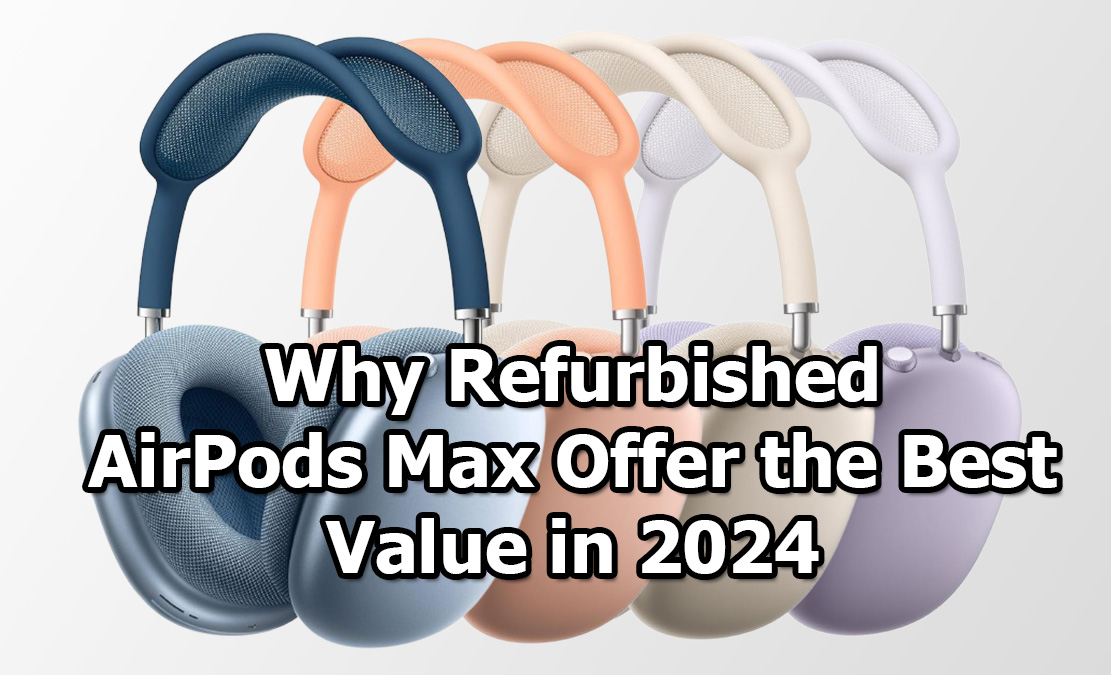
  • Why AirPods Max Refurbished Models Offer the Best Value in 2024

    Why AirPods Max Refurbished Models Offer the Best Value in 2024

    In 2024, Apple’s AirPods Max refurbished models stand out as one of the best value buys for premium over-ear headphones. With the hefty price tag of new AirPods Max often deterring potential buyers, refurbished models offer a cost-effective alternative without sacrificing quality. Here’s why they provide incredible value:

    Why AirPods Max Refurbished Models Offer the Best Value in 2024

    Certified Refurbished Quality

    Apple’s refurbished program ensures that every AirPods Max unit undergoes a rigorous testing process. Each pair is carefully inspected, repaired (if needed), and thoroughly cleaned before being certified.

    Moreover, refurbished models come with a new battery and outer shell, making them almost indistinguishable from new units. Apple also includes a 1-year warranty, adding peace of mind to your purchase. In essence, you’re getting a near-new product but at a significantly reduced cost.

    Superior Sound and Features for Less

    AirPods Max delivers top-tier sound quality, including deep bass, crystal-clear highs, and a perfectly balanced mid-range. Featuring Active Noise Cancellation (ANC), Transparency Mode, and Spatial Audio, these headphones create an immersive audio experience that’s hard to rival.

    Refurbished models retain all these premium features but allow you to enjoy them at a much lower price. The performance of the refurbished AirPods Max is just as remarkable as their brand-new counterparts, which is why these models offer unbeatable value.

    Environmentally Friendly

    Opting for a refurbished AirPods Max is not only a smart financial choice but also an environmentally conscious one.

    By purchasing refurbished, you contribute to reducing electronic waste and support Apple’s sustainability goals. You’re essentially extending the lifecycle of a perfectly functional product, minimizing the environmental impact of manufacturing new devices.

    Consistent Software Updates

    Apple’s ecosystem ensures that even refurbished models receive the latest firmware updates, which means your AirPods Max will continue to receive new features and improvements.

    Whether it’s enhanced spatial audio or improved ANC performance, you’re getting the same software benefits as those who bought brand-new AirPods Max. This continuous support adds long-term value to your purchase, making refurbished models a compelling option in 2024.

    Affordable Access to Premium Accessories

    Buying a refurbished AirPods Max often leaves room in your budget to purchase additional accessories, such as a protective case or charging stand.

    Since you’re already saving on the headphones, these extra purchases further enhance your user experience without pushing your spending beyond the cost of a new pair. It’s a win-win scenario for those seeking high-end audio at a fraction of the cost.

    Conclusion

    Refurbished AirPods Max models offer exceptional value in 2024, blending premium performance with affordability. With Apple’s certified refurbishment process ensuring near-new quality, you can enjoy the same superior sound, features, and software updates at a more accessible price point.

    For audiophiles or Apple enthusiasts on a budget, these models represent the perfect balance between luxury and savings. Opting for a refurbished AirPods Max also supports environmental sustainability, making it a smart choice in more ways than one.

    Also Check:

  • AirPods Max Not Connecting, How to Fix It

    AirPods Max Not Connecting, How to Fix It

    If your AirPods Max are struggling to connect to your device, you’re not alone. While Apple’s flagship over-ear headphones are renowned for their quality, connectivity issues can happen. Here’s a detailed guide on how to troubleshoot and fix connection problems with your AirPods Max.

    AirPods Max Not Connecting, How to Fix It

    Click Here to Buy AirPods Max Now

    AirPods Max Not Connecting? Here’s How to Fix It

    AirPods Max connectivity issues can be frustrating, but following these steps can usually resolve most problems.

    Step 1: Ensure Bluetooth is Enabled

    Before diving into more complex fixes, it’s essential to make sure Bluetooth is on. On your iPhone or other Apple devices, navigate to Settings > Bluetooth and toggle it on. Your AirPods Max should appear in the list of available devices.

    If the headphones still don’t appear, try turning Bluetooth off and on again. This often resolves simple connectivity issues by refreshing the list of available devices.

    Step 2: Check Battery Level

    Low battery can disrupt the connection between your AirPods Max and your device. If you suspect the battery is low, connect them to a charger using the included Lightning cable for about 15 to 20 minutes. Once the charge reaches a sufficient level, try connecting them again.

    Step 3: Forget and Re-Pair Your AirPods Max

    Sometimes the connection between your AirPods Max and your device may become corrupted. A simple solution is to forget the device and re-pair it. Follow these steps:

    1. On your device, go to Settings > Bluetooth.
    2. Tap the “i” icon next to your AirPods Max and select Forget This Device.
    3. After forgetting the device, hold the Noise Control button and Digital Crown on your AirPods Max until the LED light flashes white. This resets the headphones.
    4. Once they’re reset, return to your Bluetooth settings and pair them as you would a new device.

    Step 4: Update Firmware and iOS

    Outdated firmware on your AirPods Max or an outdated version of iOS can cause connectivity issues. Ensure that your iPhone or iPad is updated to the latest iOS version by navigating to Settings > General > Software Update.

    Unfortunately, Apple doesn’t allow users to manually update AirPods Max firmware. However, you can ensure they’re connected to your device and charging, as firmware updates are pushed automatically.

    Step 5: Check for Interference

    Electronic devices such as microwaves, routers, or even other Bluetooth devices can interfere with the Bluetooth signal. To avoid this, make sure that your AirPods Max are within close range of your device and try turning off nearby devices that could be causing interference.

    If possible, move to an area where there are fewer wireless devices to see if the connection stabilizes.

    Step 6: Restart Your Device

    A simple restart of your iPhone, Mac, or iPad can often solve temporary glitches. This is especially effective if the AirPods Max have connected previously but are suddenly not connecting now. Once the device has rebooted, try pairing your AirPods Max again.

    Step 7: Reset Your Network Settings

    If none of the above solutions have worked, resetting your device’s network settings could help. Go to Settings > General > Reset > Reset Network Settings. This will reset all your device’s network-related settings, including Wi-Fi, cellular, and Bluetooth, so you’ll need to reconnect to all networks and devices afterward.

    Step 8: Use Another Device

    To determine whether the issue lies with the AirPods Max or the device, try connecting the headphones to a different iPhone, iPad, or Mac. If they connect smoothly to another device, the issue likely stems from your original device rather than the AirPods Max themselves.

    Conclusion

    From ensuring Bluetooth is enabled and the battery is charged to resetting the headphones or your network settings, each of these troubleshooting tips addresses common connectivity issues. If all else fails, contacting Apple Support for further assistance might be the best course of action.

    Also Check:

  • AirPods Max vs Sony XM5: Battle of the Best High-End Headphones

    AirPods Max vs Sony XM5: Battle of the Best High-End Headphones

    In the world of high-end headphones, two major players have carved out a unique space for themselves: Apple’s AirPods Max and Sony’s WH-1000XM5. With stellar audio quality, impressive noise cancellation, and luxurious designs, these models represent the pinnacle of wireless listening technology.

    AirPods Max vs Sony XM5

    But which one really deserves the top spot in your collection? Let’s dive into the details and see how the AirPods Max stacks up against the Sony XM5 in a head-to-head showdown across design, sound quality, battery life, and extra features.


    Design and Comfort

    AirPods Max: Apple’s AirPods Max have an immediately recognizable look, thanks to their aluminum ear cups and stainless-steel frame. They’re available in several colors and sport a mesh headband designed for weight distribution. The ear cups are wrapped in memory foam for a snug yet comfortable fit. However, at 384 grams, they are noticeably heavier than most headphones. While the weight adds to the premium feel, some users may find it uncomfortable for extended wear.

    Sony WH-1000XM5: Sony’s WH-1000XM5, on the other hand, went for a lightweight and minimalistic design, focusing on comfort. They weigh in at only 250 grams and come in understated black and silver options. The XM5s have softer, cushioned ear pads that rest easily around the ears, and the headband is designed with comfort in mind. If you prioritize all-day wear without any strain, Sony’s option might be more comfortable for you in the long run.

    Verdict: The AirPods Max wins on premium build quality, but the XM5’s lighter design is a plus for long listening sessions. If luxury feel and durability are what you want, the AirPods Max is your best pick. For more comfort-focused users, the Sony XM5 pulls ahead.


    Sound Quality

    AirPods Max: Apple has packed the AirPods Max with a custom-built 40mm driver, aiming for rich, full-spectrum audio. The sound profile is well-balanced, with deep bass, clear mids, and crisp highs. The AirPods Max’s Spatial Audio feature, combined with Dolby Atmos support, creates a virtual surround sound effect for a more immersive experience with compatible tracks. This is a fantastic choice for those who love multidimensional sound, especially when streaming movies or playing games on Apple devices.

    Sony WH-1000XM5: The XM5s are equipped with new 30mm carbon fiber drivers, which deliver precise, clear audio with a focus on bass response. Sony’s DSEE Extreme upscaling technology adds depth and clarity to compressed audio, which is ideal for streaming music. Their sound profile leans toward a warmer tone with punchy bass, appealing to bass lovers. The 360 Reality Audio feature offers similar immersion as Spatial Audio, creating an encompassing sound experience.

    Verdict: Both headphones excel in sound quality, but with different focuses. The AirPods Max impress with clarity and a balanced profile, especially when paired with Spatial Audio. The XM5 offers a punchier bass and warmer sound. Your choice here depends on whether you prefer detailed accuracy (AirPods Max) or deep, rich bass (Sony XM5).


    Noise Cancellation and Transparency Mode

    AirPods Max: Apple’s Active Noise Cancellation (ANC) on the AirPods Max is superb, canceling out ambient noise effectively even in louder environments. The Transparency Mode, on the other hand, provides a seamless way to tune into your surroundings, and Apple’s H1 chip adapts dynamically to external sounds for more realistic pass-through audio.

    Sony WH-1000XM5: Sony’s ANC technology is famous for its effectiveness, and the XM5s are no exception. The headphones use eight microphones and a special V1 chip to cancel out a wide range of frequencies, making them excellent at blocking both low hums and midrange noises. Sony’s ambient mode allows some sound to pass through, though it isn’t as intuitive as Apple’s Transparency Mode.

    Verdict: Both models offer some of the best noise cancellation in the industry. However, the AirPods Max’s Transparency Mode feels slightly more natural than Sony’s ambient mode, making them a better pick if you frequently switch between ANC and ambient listening.


    Battery Life and Charging

    AirPods Max: Apple’s AirPods Max offer 20 hours of battery life with ANC or Spatial Audio enabled, which is decent but not groundbreaking. They also include a Smart Case that puts them into low-power mode when not in use. The headphones charge via Lightning, with no USB-C option yet, which may be a drawback for some users.

    Sony WH-1000XM5: Sony XM5 wins on battery life, offering up to 30 hours with ANC on and even more without it. Additionally, Sony provides USB-C fast charging, which gives up to 3 hours of playback with just a 3-minute charge. This feature is ideal if you need a quick top-up on the go.

    Verdict: For longer battery life and more convenient charging, the Sony XM5 is the clear winner. However, if you’re already in the Apple ecosystem and don’t mind the Lightning cable, the AirPods Max’s battery should be sufficient for most users.


    Special Features and Ecosystem

    AirPods Max: With Apple’s signature integration, the AirPods Max easily pairs with Apple devices and supports Spatial Audio with head tracking. Additionally, Siri integration is seamless, making it easy to control playback and volume without touching the device. Switching between Apple devices is instant and intuitive, which is great for users embedded in the Apple ecosystem.

    Sony WH-1000XM5: Sony offers the 360 Reality Audio feature and Google Assistant/Alexa integration for voice commands, giving users options outside of Apple’s ecosystem. Sony’s Speak-to-Chat feature automatically pauses audio when it detects your voice, which is incredibly useful in conversations. The XM5 also has multipoint pairing, allowing you to connect to two devices at once—perfect for switching between a laptop and phone without missing a beat.

    Verdict: Apple’s AirPods Max excels if you’re already in the Apple ecosystem, with seamless integration and Spatial Audio. Sony, however, offers more flexibility with multi-device pairing, Google Assistant, and Alexa support, catering to a broader range of users.


    Price and Value

    The AirPods Max sit at the high end of the market, with a premium price tag to match the premium build, typically around $549. For some, the Apple-exclusive features, along with its superior build quality, justify the price, especially if you’re looking for seamless integration with Apple devices.

    The Sony WH-1000XM5 is generally more affordable, priced around $399. Considering the longer battery life, USB-C charging, and multipoint connectivity, the XM5 offers excellent value, especially for those who prioritize versatile use and high-performance ANC.

    Verdict: For value and flexibility, the Sony XM5 takes the lead here. However, if Apple’s design, Spatial Audio, and ecosystem compatibility are crucial to you, the AirPods Max justifies its premium price.


    Final Verdict: Which Should You Choose?

    Choosing between the AirPods Max and Sony XM5 ultimately comes down to personal preference and ecosystem compatibility. Here’s a quick recap to help you decide:

    • Choose AirPods Max if you’re deeply embedded in the Apple ecosystem, prioritize premium build quality, and want a balanced sound profile with superb Transparency Mode and Spatial Audio. They’re the better choice for Apple loyalists who don’t mind the higher price for an elevated user experience.
    • Choose Sony XM5 if you’re looking for longer battery life, a lighter design, and a more bass-forward sound. With versatile features like multipoint connectivity and fast charging, the XM5 is ideal for users who want flexibility and value, regardless of device brand.

    Both the AirPods Max and Sony WH-1000XM5 are elite headphones that will satisfy audiophiles and casual listeners alike. Whichever you choose, you’re investing in an unparalleled listening experience.

    Also Check:

  • I Tried Using AirPods Max with Multiple Devices, and Here’s How to Make It Work Effortlessly

    I Tried Using AirPods Max with Multiple Devices, and Here’s How to Make It Work Effortlessly

    The AirPods Max are designed to seamlessly connect to multiple Apple devices, enhancing the user experience by allowing you to switch between your iPhone, iPad, Mac, and other Apple products without hassle. After trying it out myself, here’s how you can make the process effortless.

    I Tried Using AirPods Max with Multiple Devices, and Here's How to Make It Work Effortlessly

    How to Switch AirPods Max Between Multiple Devices

    Whether you’re listening to music on your iPhone, watching a movie on your iPad, or taking a call on your Mac, the AirPods Max can automatically connect to the device you’re using. However, managing these connections isn’t always as smooth as it should be. Here’s how you can manage these connections effectively:

    Automatic Switching

    One of the best features of the AirPods Max is their ability to automatically switch between your Apple devices. This works when all your devices—like your iPhone, iPad, and Mac—are signed in with the same Apple ID.

    For example, if you’re watching a video on your iPad and a call comes in on your iPhone, the AirPods Max will automatically switch to the iPhone so you can answer the call without missing a beat.

    For automatic switching to work smoothly, follow these steps:

    • Apple ID Synchronization: Make sure that all your Apple devices (iPhone, iPad, Mac, etc.) are signed in with the same Apple ID. This is crucial because the AirPods Max rely on your Apple ID to identify and connect with the devices in your ecosystem.
    • Software Updates: Ensure that all devices are running the latest version of their respective operating systems (iOS, macOS, iPadOS). Apple regularly updates its software to enhance features like automatic switching.
    • Automatic Switching Enabled: On each device, go to the Bluetooth settings or AirPods settings and ensure that the “Automatic Switching” feature is turned on. This setting allows your AirPods Max to move seamlessly between devices when you start using a different one.

    Manual Switching

    While automatic switching is convenient, there may be times when you want to manually control which device your AirPods Max connect to. This can be useful if you’re using multiple devices at once and want to keep your headphones connected to a specific device.

    Here’s how to do it:

    • Access Bluetooth Settings: On the device you want to switch to, navigate to the Bluetooth settings. This can usually be found in the Settings app on your iPhone or iPad, or in the System Preferences on your Mac.
    • Select AirPods Max: In the list of available Bluetooth devices, find your AirPods Max and select them. Your AirPods Max will immediately disconnect from the previous device and connect to the one you’ve chosen.
    • Customizing Settings: You can also adjust the settings on your AirPods Max for each device. For example, you can enable or disable features like Noise Cancellation or Transparency Mode, depending on your needs at the time.

    While automatic switching is a fantastic feature, it’s not perfect. Sometimes, it might switch devices when you don’t want it to, or it might not switch quickly enough. This is where a balance between automatic and manual switching comes in handy.

    By understanding both automatic and manual switching, you can make the most of your AirPods Max across multiple devices, ensuring a smooth and personalized audio experience no matter what you’re doing.

    Conclusion

    Using AirPods Max with multiple devices can be incredibly convenient, especially with the automatic switching feature. However, understanding how to manage these connections—whether automatically or manually—can make your experience much smoother. By following these tips, you’ll be able to enjoy your AirPods Max across all your devices without any hiccups.

    Whether you’re switching between work calls, streaming video, or listening to music, your AirPods Max will be ready to keep up with your lifestyle.

    Also Check:

  • Airpods Max Battery Life: How Long Do Airpods Max Last

    Airpods Max Battery Life: How Long Do Airpods Max Last

    The AirPods Max stand out for their premium design, immersive sound quality, and innovative features, but when it comes to battery life, what can you expect? If you’re investing in these top-tier headphones, knowing exactly how long they last between charges is essential.

    Airpods Max Battery Life

    Let’s break down the AirPods Max battery life in different scenarios, including daily use, long listening sessions, and travel, plus tips for maximizing your listening time.


    Battery Life Specs: What Apple Promises

    Apple advertises the AirPods Max with an impressive 20-hour battery life for listening, talk time, or movie playback with Active Noise Cancellation (ANC) or Transparency Mode activated. This means that, in a fully charged state, they’re designed to keep you immersed in sound for an entire day without needing to charge.

    However, battery performance can vary based on how you’re using the headphones. If you toggle features like Spatial Audio or use Transparency Mode, your listening time can fluctuate. Generally, though, Apple’s 20-hour estimate holds true in real-world use, making the AirPods Max highly competitive among high-end wireless headphones.


    Real-World Usage: How the AirPods Max Hold Up

    In everyday use, the AirPods Max lives up to expectations, especially with moderate use throughout the day. For instance:

    • Commutes and Work Hours: If you’re using AirPods Max for a few hours during your commute and sporadically at work, they can easily last through an 8-hour workday. You’re likely to have battery left over for some evening listening.
    • Long Listening Sessions: In one go, the headphones can last for hours of continuous listening with ANC on, even at moderately high volume. This is ideal if you’re someone who loves to zone out with music, podcasts, or audiobooks.
    • Calls and Video Chats: Battery life for calls is on par with listening time. If you frequently switch between listening to music and hopping on calls, you’ll still hit that 20-hour mark.

    Charging and Quick Charge Capability

    One of the key conveniences of the AirPods Max is their quick-charge capability. Just 5 minutes of charging provides around 1.5 hours of listening time. This is a lifesaver when you’re about to head out and realize your battery is low.

    To fully recharge from 0% to 100%, the AirPods Max takes roughly 2 hours when using the included Lightning-to-USB-C cable. Considering the battery life they offer, you’ll likely only need to do a full charge once every day or two with regular use.


    Battery Management Features: The Smart Case

    The AirPods Max come with a Smart Case that automatically puts them in an ultra-low-power state to conserve battery when they’re not in use. While it’s not an “off” button per se, it’s designed to reduce battery drain effectively when the headphones are idle.

    This feature is especially handy if you don’t plan on using the AirPods Max for a day or two. The case will keep the battery from draining, so when you’re ready to use them again, they still have a significant charge left.


    Comparing AirPods Max Battery Life to Other Premium Headphones

    If you’re familiar with other premium headphones, you might wonder how the AirPods Max compares. In short:

    • Sony WH-1000XM4: Sony’s flagship model offers a 30-hour battery life with ANC on, making it a bit longer-lasting than the AirPods Max. However, the difference is less noticeable if you’re primarily using headphones for daily commutes or work hours.
    • Bose Noise Cancelling Headphones 700: Bose also delivers around 20 hours of battery life, similar to the AirPods Max. Both Bose and Apple models offer comparable real-world performance for a typical day’s use.

    Apple’s focus on quality, design, and user experience with the AirPods Max has kept it competitive with other high-end options, even if the total battery life isn’t the longest on the market.


    Maximizing AirPods Max Battery Life

    Here are a few tips to get the most out of your AirPods Max battery life:

    1. Store in the Smart Case: Whenever you’re not using them, put your AirPods Max in the Smart Case to ensure they enter low-power mode.
    2. Adjust Volume: Lowering the volume just a bit can help conserve battery, especially if you’re using ANC.
    3. Turn Off Features When Not Needed: Disabling features like Spatial Audio or Transparency Mode when they’re not necessary can give you a slight edge in battery life.
    4. Stay on Firmware Updates: Apple often releases firmware updates that can improve battery life or fix bugs, so make sure your AirPods Max are running the latest version.
    5. Avoid Extreme Temperatures: Like any battery-powered device, AirPods Max will perform best in moderate temperatures, avoiding extreme heat or cold.

    What to Expect After a Year or More of Use

    Lithium-ion batteries naturally degrade over time, and the AirPods Max battery is no different. While they’re designed to maintain a high charge for years, after about 18-24 months of frequent use, you may notice a slight dip in battery longevity. Fortunately, Apple offers battery service options for AirPods Max, so if you’re noticing a significant decrease in performance, you can have the battery replaced.


    Bottom Line: The Verdict on AirPods Max Battery Life

    The AirPods Max stands up well to Apple’s advertised battery life, delivering a full day of immersive audio with just one charge. For most users, the 20-hour limit is more than enough to cover commutes, work hours, and relaxation time. Add to that the convenience of quick charging and battery conservation features, and you’ve got a set of headphones that can keep up with the demands of everyday life.

    If you’re seeking headphones that strike a balance between premium sound and respectable battery performance, the AirPods Max won’t disappoint. From their quick-charge feature to their Smart Case conservation, Apple has ensured that you get both power and practicality wrapped in one beautifully designed package.

    Also Check:

  • You Can Now Get AirPods Max in Five Fresh Colors Thanks to Apple: Midnight, Starlight, Blue, Purple, and Orange

    You Can Now Get AirPods Max in Five Fresh Colors Thanks to Apple: Midnight, Starlight, Blue, Purple, and Orange

    Thanks to Apple, the AirPods Max are now available in five exciting new colors: Midnight, Starlight, Blue, Purple, and Orange. These fresh options give the premium headphones a stylish twist, allowing you to choose a color that perfectly complements your style while delivering the superior sound and comfort Apple is known for. Let’s dive into the specifics of each color and what makes them stand out.

    AirPods Max Five New Colors

    Click Here to Buy AirPods Max Now

    AirPods Max Five New Colors

    You can now enjoy the AirPods Max in five vibrant colors—Midnight, Starlight, Blue, Purple, and Orange—each paired with a matching Smart Case.

    These fresh hues give the luxurious over-ear headphones a striking new look, allowing users to express their style while enjoying pro-level features like Active Noise Cancellation (ANC) and Personalized Spatial Audio.  Whether you’re drawn to the deep tones of Midnight or the boldness of Orange, the new colors provide a perfect blend of fashion and function for Apple’s high-end audio experience.

    Midnight: Sleek and Timeless

    Midnight brings a classic, understated elegance to the AirPods Max lineup. This deep, almost black shade is versatile, making it perfect for those who want a minimalist, professional look while still enjoying the luxurious build of the headphones. It’s ideal for anyone who prefers a subtle yet stylish option.

    Starlight: Soft and Refined

    Starlight adds a soft, refined hue to the collection. With its subtle mix of silver and gold, this color offers a more sophisticated vibe, perfect for users who enjoy neutral tones but with a bit more warmth than traditional silver or white. Starlight’s gentle sheen gives it a premium feel without being too flashy.

    Blue: Bold and Vibrant

    For those who want a pop of color, Blue delivers vibrancy and energy. This bold hue offers a standout look, perfect for users who love to make a statement with their tech. It’s eye-catching but not overly loud, making it a great middle-ground for those who want to step outside the usual black or silver options.

    Purple: Regal and Unique

    Purple stands out as one of the most exciting additions to the AirPods Max lineup. It offers a regal, luxurious appearance that adds a sophisticated edge to the headphones. If you’re looking for something that’s truly different from the norm, Purple is the way to go. It’s bold yet classy, making it a perfect choice for fashion-forward users.

    Orange: Playful and Bright

    Orange is the boldest option in the new lineup, adding a playful touch to the AirPods Max. It’s perfect for those who want their headphones to reflect their personality—bright, fun, and full of energy. This color is all about standing out, and it’s sure to turn heads wherever you go.

    Table of Comparison: AirPods Max Colors

    Color Tone Style Ideal For
    Midnight Deep black Sleek and timeless Minimalists, professionals
    Starlight Soft silver-gold Refined and warm Neutral-tone lovers
    Blue Vibrant blue Bold and energetic Statement-makers
    Purple Rich, regal purple Unique and luxurious Fashion-forward, bold users
    Orange Bright orange Playful and bright Fun, energetic personalities

    The color Purple stands out in particular, offering a sleek and regal appearance that adds sophistication to the already premium design of the AirPods Max.

    With these fresh additions, Apple continues to cater to personal tastes while maintaining the high-quality audio and comfort users expect from the AirPods Max. The new color options also come with the convenience of USB-C charging, enhancing their overall usability.

    The AirPods Max not only deliver on aesthetics but also on their rich feature set. The inclusion of features like ANC, which blocks out twice as much noise, makes them ideal for immersive listening experiences. The Personalized Spatial Audio, meanwhile, tailors the sound to your unique ear shape for a fully enveloping audio experience.

    These headphones aren’t just about looks—they bring cutting-edge technology wrapped in stunning colorways, making them an enticing option for both audiophiles and fashion-forward users alike.

    Conclusion: 

    With the introduction of these five new colors, Apple has made it even easier to find a pair of AirPods Max that fit your style. Whether you’re drawn to the sleekness of Midnight or the vibrancy of Orange, you’ll be able to enjoy the same high-quality audio experience in a shade that feels personal to you.

    Each color pairs beautifully with Apple’s signature Smart Case, making your AirPods Max not just a listening device but a style statement.

    Also Check: