- Audio & Headphones
The Samsung Galaxy S23+ goes beyond the typical touchscreen experience, offering intuitive motion and gesture controls to enhance your interaction with the phone.
To access motion and gestures on your Samsung Galaxy S23+, you can use various intuitive features that make interacting with your device more convenient and efficient.
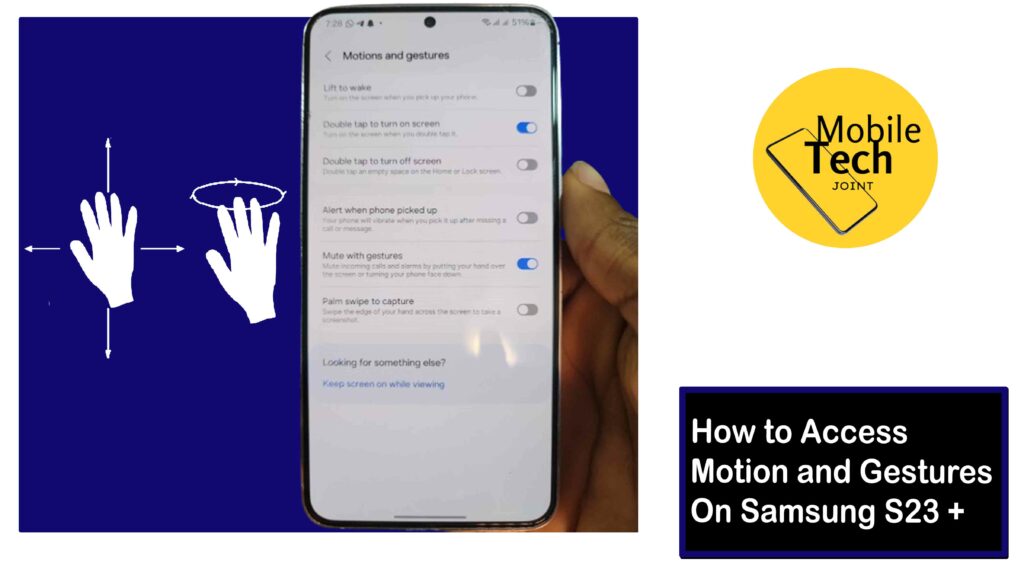
These motion and gesture controls enable and give you easy access to navigate your device and perform various functions with simple movements or actions.
This guide will give you insight into how to access Motion and gestures on Samsung S23 +, empowering you to navigate your phone with a flick of your wrist or a double tap.
About the Motion and Gestures on Samsung S23+
Motion and Gestures encompass various functionalities that utilize the built-in sensors in your S23+ to recognize your movements and translate them into actions on the screen. Here are some core functionalities within Motion and Gestures:
- Lift to Wake
Picking up your phone wakes the display, eliminating the need to fumble for the power button.
- Double Tap to Wake/sleep
Double-tapping the screen quickly turns the display on or off, providing convenient access.
- Palm Swipe to Capture
Swiping the edge of your hand across the screen captures a screenshot, offering an alternative to button combinations.
- Keep Screen on While Viewing
The phone detects your gaze and keeps the display lit as long as you're looking at it, preventing accidental timeouts.
- Alert on Pick Up
If you miss a call or message, your phone will vibrate when you pick it up, reminding you of the notification.
Important Note: The availability of specific Motion and Gesture features might vary depending on your software version and phone model.
How to Access Motion and Gestures on Samsung S23 +
There are two primary ways to access and manage Motion and Gesture settings on your Samsung Galaxy S23+:
Using Settings App (Detailed Control)
- Open the Settings app on your Galaxy S23+.
- Scroll down and tap on the Advanced Features tab.
- Within Advanced Features, locate and tap on Motions and Gestures.
- You'll see a list of available Motion and Gesture Features with toggle switches to enable or disable them.
- Tap the toggle switch next to the desired feature to On to activate it.
(Optional) Explore additional settings for specific features (e.g., adjusting the palm swipe capture area).
Using Quick Search (Fast Access)
- Swipe down from the home screen to access the Search Bar.
- In the search bar, type Motion and Gestures or just Gestures.
- Tap on the relevant search result that appears, which will direct you to the Motion and Gestures Settings within Advanced Features.
- From there, you can follow steps 4-6 from Method 1 to manage your desired Motion and Gestures.
Those are the required steps needed to successfully access motion and gestures on Samsung S23 +, and modify the one you prefer.
Related: How to Enable Emergency SOS on Samsung S23 +
Why Use Motion and Gestures on Samsung S23+?
There are several compelling reasons to leverage Motion and Gestures on your S23+:
- Enhanced Convenience
Motion and gestures provide quicker and more intuitive ways to interact with your phone. Simple movements like raising your phone or swiping your hand can replace button presses, streamlining your experience.
- Accessibility Benefits
For users with dexterity limitations, Motion and Gestures can offer alternative control methods, making the phone more accessible.
- Reduced Wear and Tear
Utilizing gestures like double-tap to wake/sleep can potentially minimize wear and tear on the power button.
https://youtube.com/shorts/Ap74b4rUWXI?si=usARw65cGLIukeKk
Conclusion
By understanding the available features and utilizing the methods outlined in this guide, you can leverage Motion and Gestures on your Samsung Galaxy S23+.
This functionality empowers you to interact with your phone in a more intuitive and convenient way, enhancing your overall user experience. So, explore the world of Motion and Gestures and discover how these features can streamline your phone usage.
Can I Activate Gestures on my Samsung S23 +?
While some gestures like "Lift to wake" are convenient, you might worry about accidental activation.
Fortunately, Samsung offers customization options for specific gestures. For instance, you can increase the required number of taps for the "Double tap to wake/sleep" function to minimize accidental activations.
Will Using Motion and Gestures Drain my Battery?
The impact of Motion and Gestures on battery life is generally minimal. These features utilize the phone's built-in sensors, and their power consumption is optimized.
However, if you're concerned about battery life, you can selectively disable gestures you don't use frequently.
Are there any Compatibility Issues with Motion and Gestures on Samsung S23 +?
Some screen protectors, especially thick or with certain materials, might interfere with the phone's ability to recognize gestures accurately.
If you experience issues with Motion and Gestures, try using a different screen protector or temporarily removing it to see if the problem persists.
For more insights on this article, check out these video tips across our social platforms:
- Home
Rumors are swirling in the tech community about the potential release of the AirPods Max 2, the highly anticipated successor to Apple’s premium over-ear headphones. While Apple has yet to officially confirm the existence of this new model, several leaks and reports suggest that the AirPods Max 2 could be on the horizon, offering exciting upgrades and enhancements over the original.
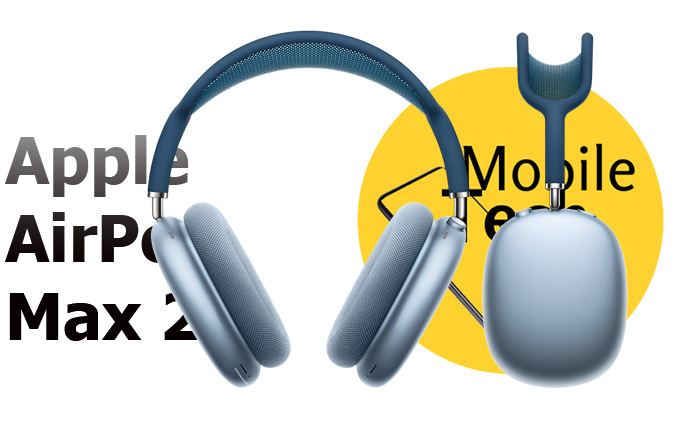
Design and Build Quality
One of the key areas where the AirPods Max 2 is expected to shine is in its design. While the original AirPods Max received praise for its premium materials and comfortable fit, Apple may refine the design even further with the AirPods Max 2. Rumors indicate that the new model could be lighter and more ergonomic, possibly incorporating new materials to enhance durability while reducing weight. Additionally, Apple might offer new color options to appeal to a broader range of users.
Sound Quality and Audio Enhancements
Apple is known for its meticulous attention to sound quality, and the AirPods Max 2 is expected to continue this tradition. Insiders suggest that the new model could feature updated drivers and improved sound processing technology, delivering an even more immersive audio experience. There are also whispers of enhanced Spatial Audio capabilities, which would provide a more immersive soundstage, making music, movies, and gaming more engaging than ever before.
Advanced Features and Technology
The original AirPods Max impressed with its Active Noise Cancellation (ANC) and Transparency Mode. The AirPods Max 2 is rumored to take these features to the next level, possibly introducing an even more sophisticated ANC system that adapts to your environment in real-time. Additionally, Apple might incorporate more advanced sensors and gyroscopes to enhance the Spatial Audio experience, making it even more precise and immersive.
One of the most intriguing possibilities is the integration of Apple’s new H2 chip, which could bring significant improvements in wireless performance, battery efficiency, and computational audio capabilities. This chip might also enable new features, such as more intelligent Siri integration and advanced health-tracking functionalities.
Battery Life and Charging
Battery life is always a critical consideration for wireless headphones, and the AirPods Max 2 could offer improvements in this area. Rumors suggest that Apple is working on optimizing power consumption to extend battery life, even with all the advanced features enabled. Fast charging capabilities are also expected, allowing users to quickly top up their battery when needed.
Pricing and Availability
As with any high-end Apple product, the AirPods Max 2 is expected to come with a premium price tag. While it’s difficult to pinpoint an exact price, it’s likely that the new model will be priced similarly to its predecessor, possibly starting around $549. As for availability, the most optimistic predictions suggest that the AirPods Max 2 could be unveiled in late 2024 or early 2025, but this remains speculative until Apple makes an official announcement.
Conclusion: What to Expect
The AirPods Max 2 is shaping up to be an exciting release for audiophiles and Apple enthusiasts alike. With potential improvements in design, sound quality, and advanced features, this new model could solidify Apple’s position at the top of the premium headphone market. While we await official confirmation and more details, the rumors and leaks point to a product that could be well worth the investment. Stay tuned for more updates as the release date approaches!
Also Check:
- The YYKY Military Smartwatch: 7 Smart Features That Make it a Bargain at $40
- Why I’m Sticking with the Nothing Phone 2a Plus: My Honest Review
- The YYKY Military Smartwatch: 7 Smart Features That Make it a Bargain at $40
- Pixel Watch 3 vs Pixel Watch 2: Does the Pixel Watch 2 Still Holds...
- OnePlus Nord N30 5G Review: Premium Features on a Budget Friendly Phone
Great things are on the horizon
Something big is brewing! Our store is in the works and will be launching soon!
